

Flipboard Magazines were created to give our community a place to collect stories, photos, video and audio in a beautiful, flippable format. With the addition of Compose, we supercharged your magazine’s voice by allowing text updates and the ability to upload your own photos. Now, with the launch of Flipboard 4, your magazines can be automated, get wider distribution through Smart Magazines, and have a more streamlined home in the new carousel. Whether you’re new to Flipboard or a veteran curator, here is our handy guide to MagMaking in our latest update.
- How can I get started making a magazine?
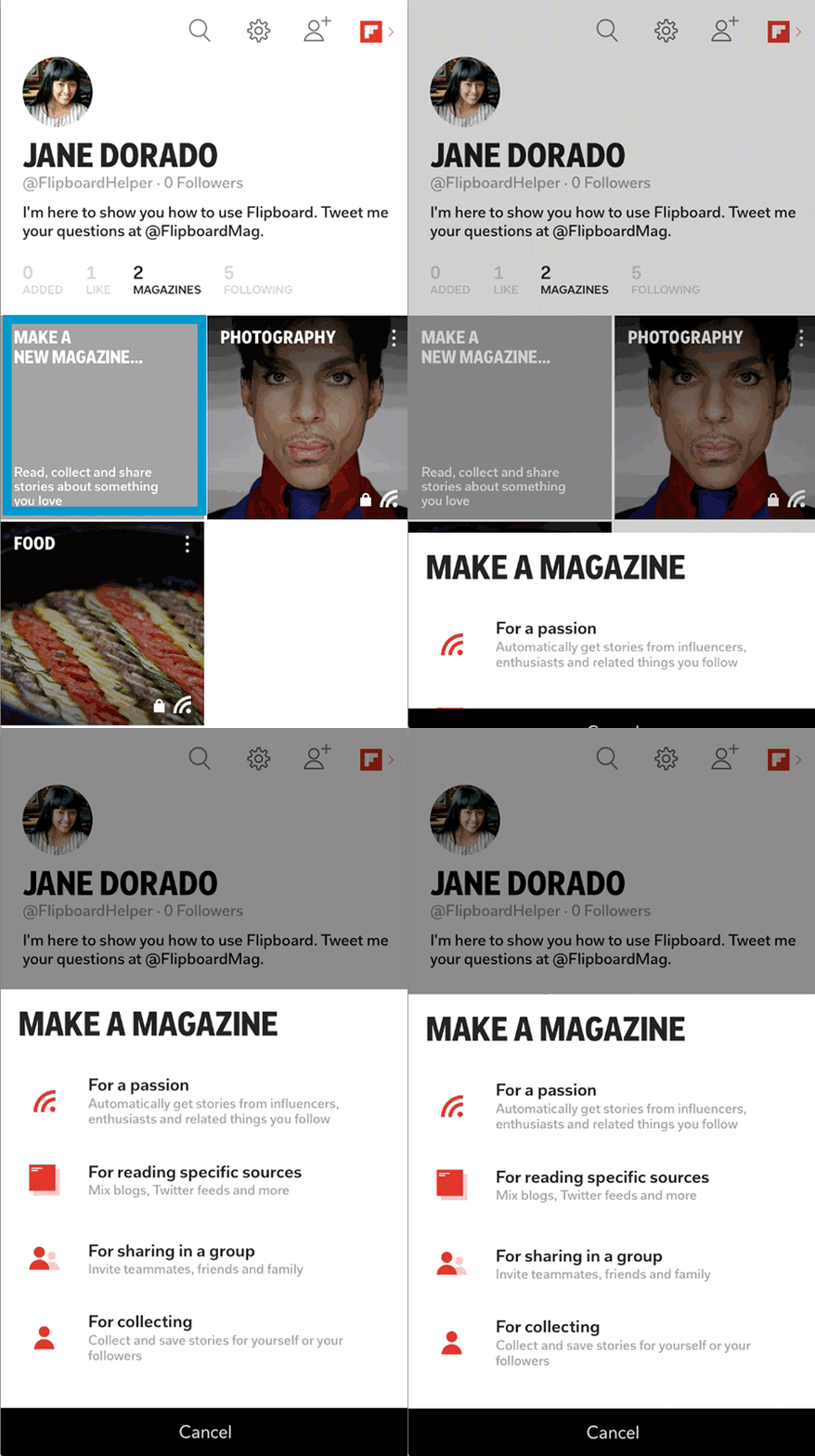
- What kinds of magazines can I make?
- For a passion – Tap this to create a Smart Magazine. These are automatically updated collections of stories about your passion.
- For reading specific sources – Our most requested feature has been the ability to mix RSS feeds in a folder, similar to what you could do with Google Reader. Enter the Custom Smart Magazine: a new way to mix feeds on Flipboard, but with a twist. In addition to RSS feeds, you can incorporate Flipboard Magazines, and accounts, hashtags and lists from Twitter, YouTube, SoundCloud, Flickr, and more. Learn how to create one here.
- For sharing in a group – Public or private group magazines among friends, family or enthusiasts. You need a collaborator’s valid email address to invite them.
- For collecting – Public or private hand-curated magazines using the +, our Chrome extension or bookmarklet.
- How can I find content for my magazines?
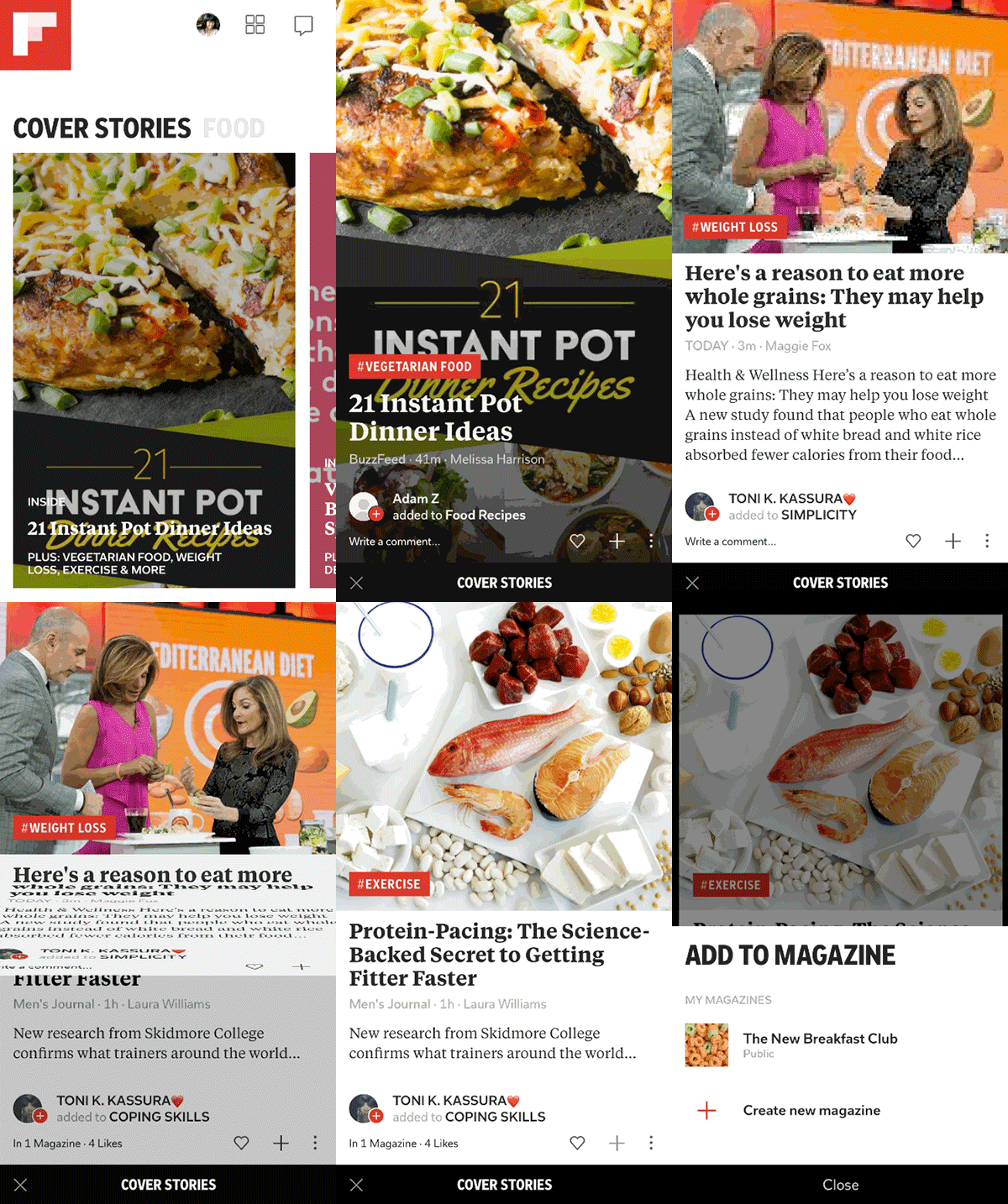 You’re not limited to content only on Flipboard, either. If there is a blog post or Web page you want to flip from you can use our Chrome extension or bookmarklet.
- Where do my magazines live?
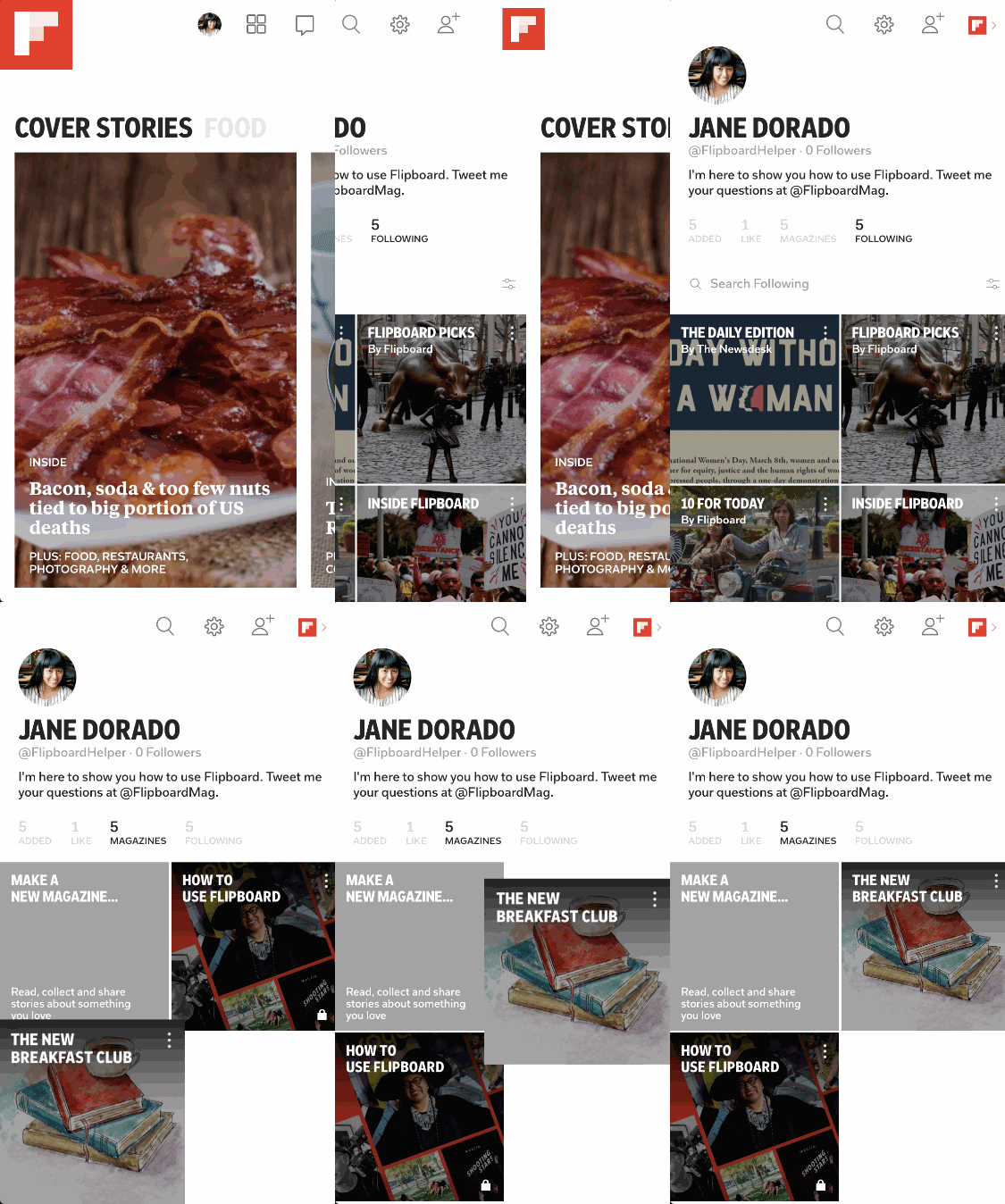 Rearrange your hand-curated magazines by tapping and dragging them into the order you want. That way, the magazines you manage the most are at the top.
- How can I share my magazines?
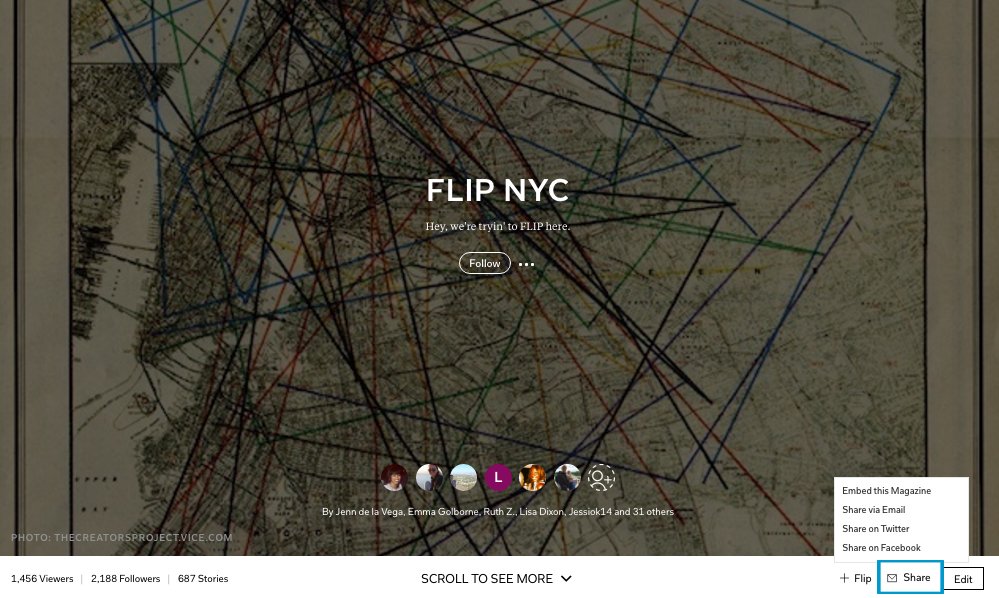
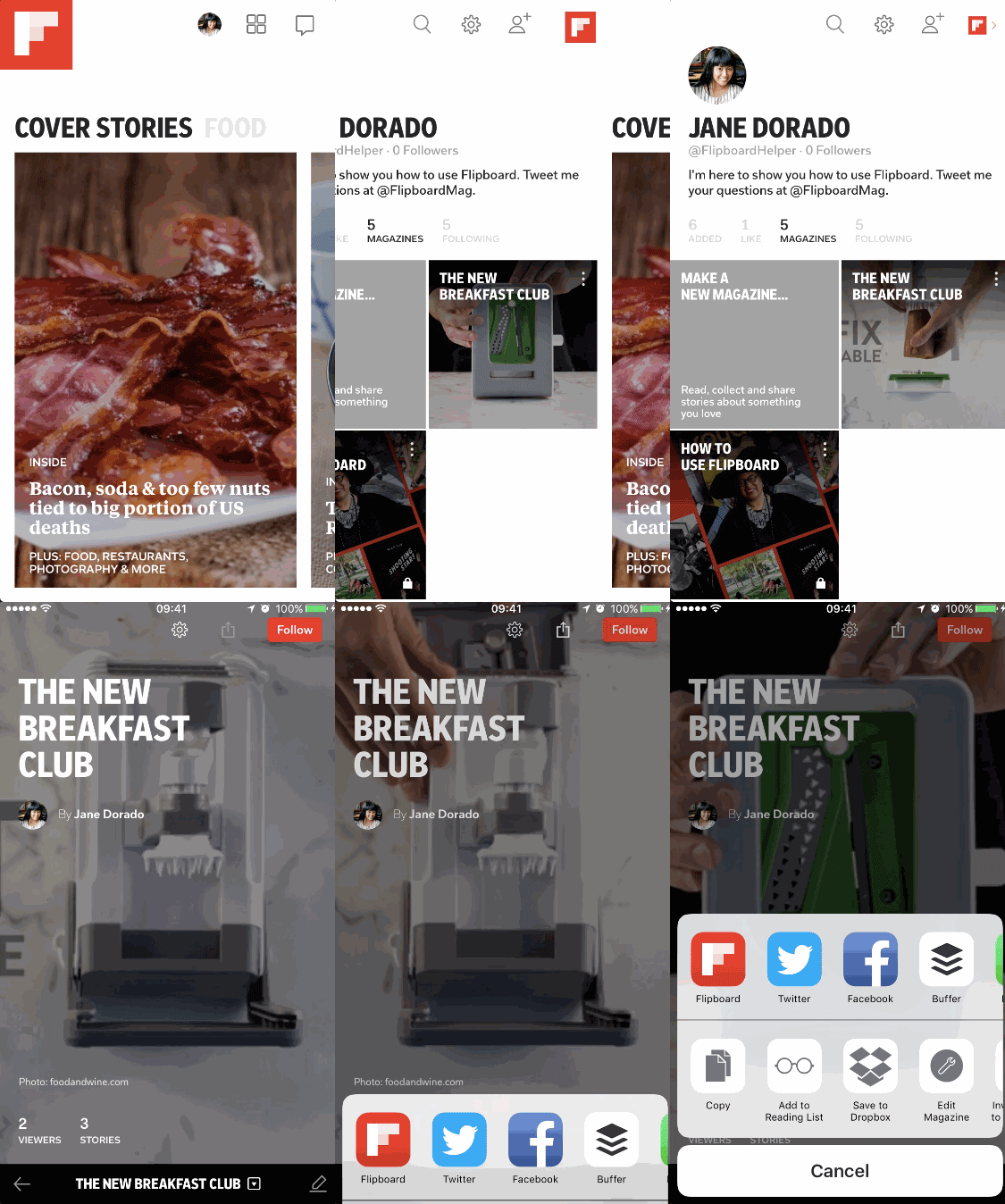 On Flipboard.com, visit your profile and click on Magazines. Hover over your magazine covers to reveal an envelope icon, which is the Share button. Click it and you will also be able to choose to copy the embed HTML code, share to email, Facebook or Twitter.
 We want to see your magazines! Tag @Flipboard on Twitter with the link so we can check it out. Read more of our pro-tips to get the most out of the all-new Flipboard.
~jdlv is reading Imperfect Writers of the World
We want to see your magazines! Tag @Flipboard on Twitter with the link so we can check it out. Read more of our pro-tips to get the most out of the all-new Flipboard.
~jdlv is reading Imperfect Writers of the World